Trading Blows with Opus 4.8?! A First Look at Kimi K3
A one-shot, hands-on test of Kimi K3 against Claude Opus 4.8 across four technically demanding front-end scenarios (WebGL shaders, 3D glass refraction, multi-stage scroll state machines, Awwwards-grade motion)—prompt in, no manual code edits, just the result.
Adapted from “归藏的 AI 工具箱” (Guizang’s AI Toolbox)
Kimi K3 is officially live.
The official spec sheet: a brand-new Kimi Linear hybrid linear-attention architecture, a 1M context window, coverage across coding, agents, and multimodal—and the model weighs in at 2.8T. Among China’s crop of 1T models, that’s fairly large.
When it leaked a few days ago, some people on Twitter said it beat Fable 5, or matched it. I tried it myself, and honestly—no.

Numbers are numbers; you have to feel it yourself. I used Claude Opus 4.8 as the control group and picked four front-end scenarios with real technical barriers—WebGL shaders, 3D glass refraction, multi-stage scroll state machines, and Awwwards-grade work, some of the more complex jobs in front-end.
Every case was generated in one shot: drop the prompt in, no manual code edits, look straight at the result. After running the head-to-head with Opus 4.8, I found K3 really can trade blows with it.
Case 1: Recreating a 3D glass-prism page from a video
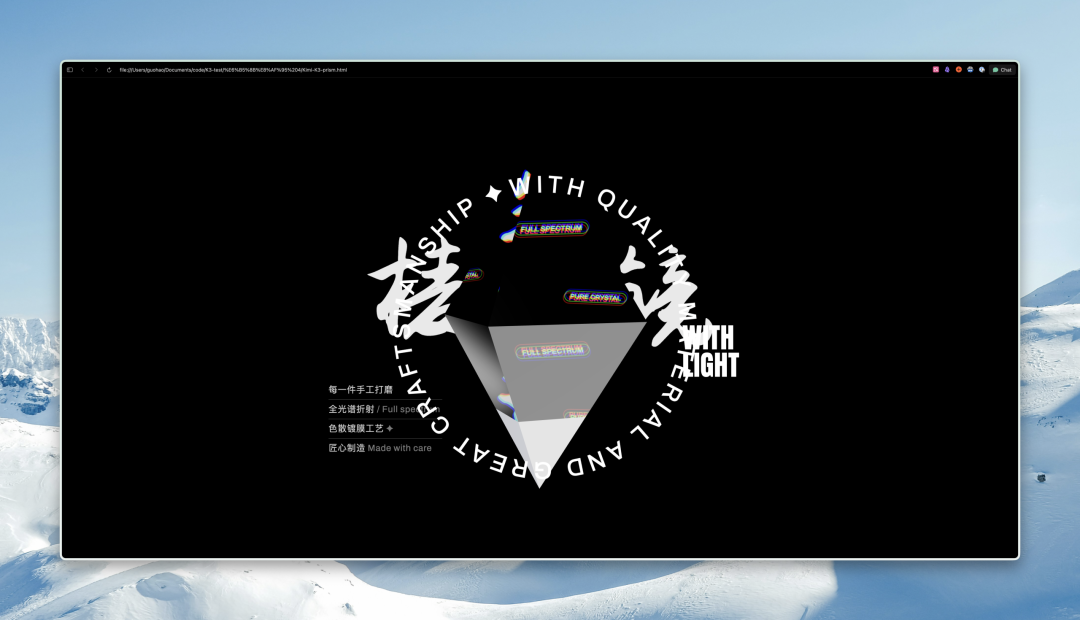
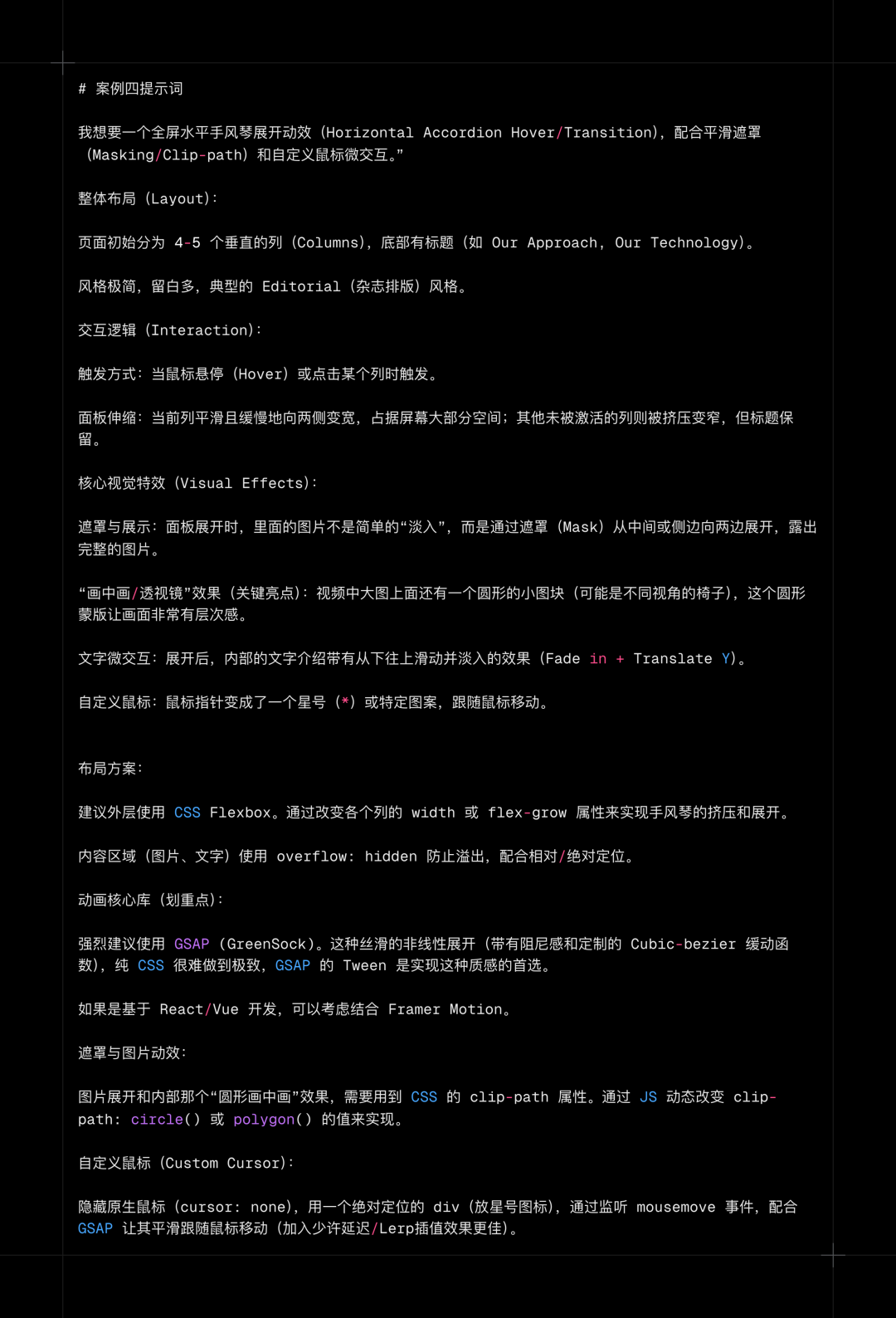
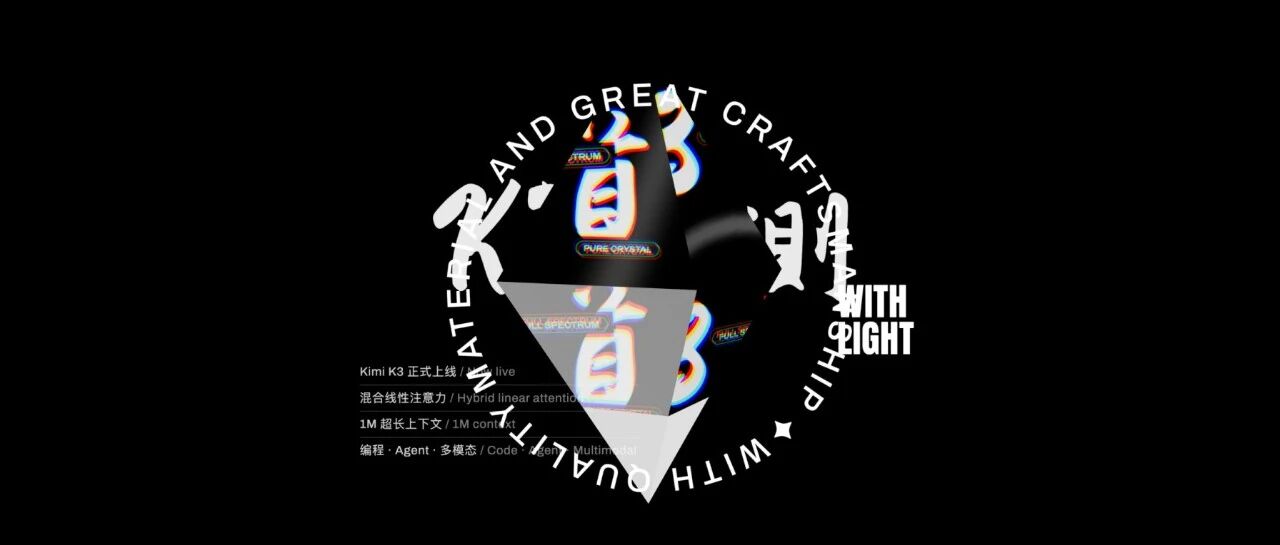
I gave the model a video: a rotating 3D glass diamond with prism refraction, ring text, and product info.
The prompt was a single sentence: understand this video, recreate it, swap the copy, keep everything else as close as possible.
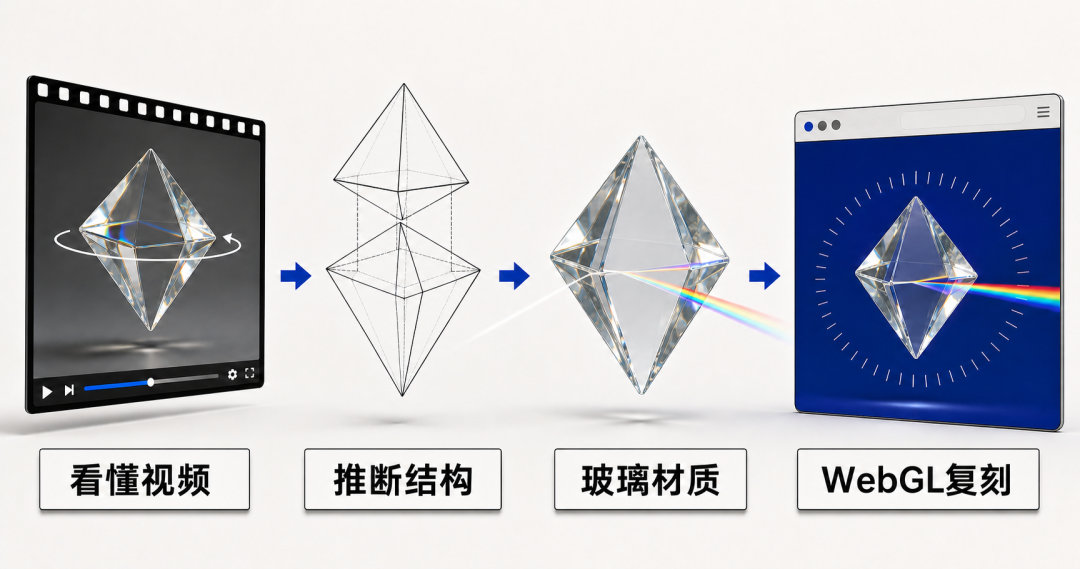
Where’s the difficulty? “Watch the video → understand the 3D structure → write WebGL code” (WebGL is the low-level tech for 3D graphics in the browser; writing it is close to game development).
The model has to infer the geometry, the glass material parameters, and the layout from a moving image, then generate Three.js 3D rendering plus CSS ring text plus a Chinese calligraphy font in one go. There are no text labels to reference—it’s all on its own eyes.
K3 wins fairly clearly here.
K3’s composition is highly complete. The prism is centered, the glass refraction is well layered, the ring text is evenly spaced, the Chinese calligraphy characters for “prism” sit nicely on both sides, and the product copy at the bottom-left is neatly arranged. The overall mood is very close to the original video.
Opus 4.8’s 3D model itself lacks K3’s glassy transparency—it’s grayish—and the elements are oversized and out of balance, with the refracted text meant to sit inside the model spilling beyond the 3D element. On layout, the big “PRISM” letters are stacked right on top of the ring text; elements fight each other and the frame is cramped and messy. The 3D passes, but the overall look falls short.
K3 was also faster. On video understanding, K3 really does have a strong edge.
Case 2: A Bézier-curve WebGL light band
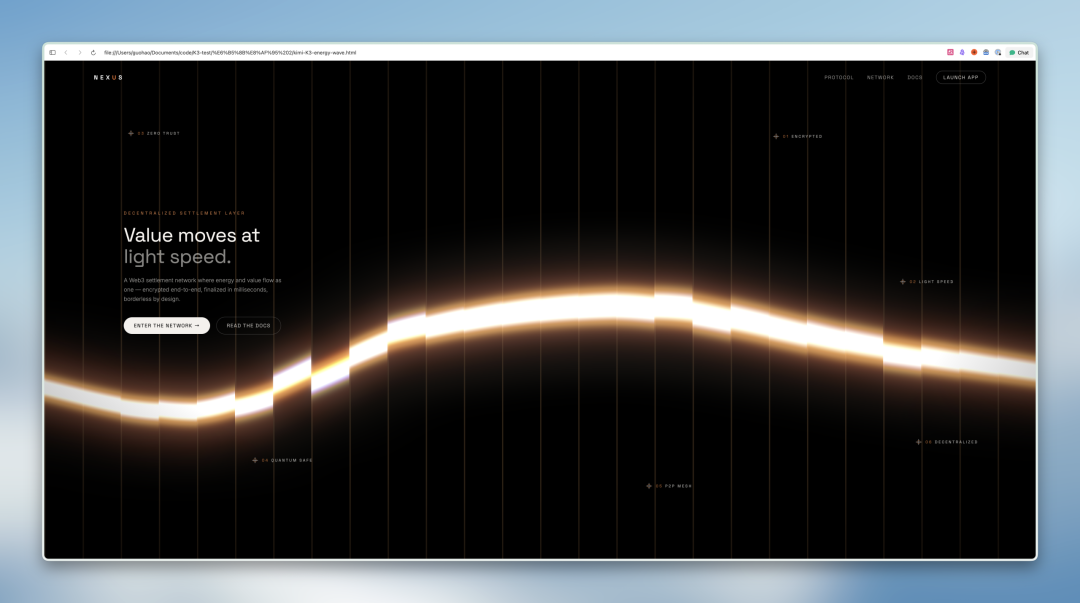
A Web3 dark-tech hero: on a pure black background, a glowing Bézier wave flows and breathes continuously, covered by 20-plus vertical glass strips that produce prismatic dispersion, and the wave bends to follow the mouse.
This prompt is probably the most technically dense of the four—it’s not really front-end anymore, it’s computer graphics.
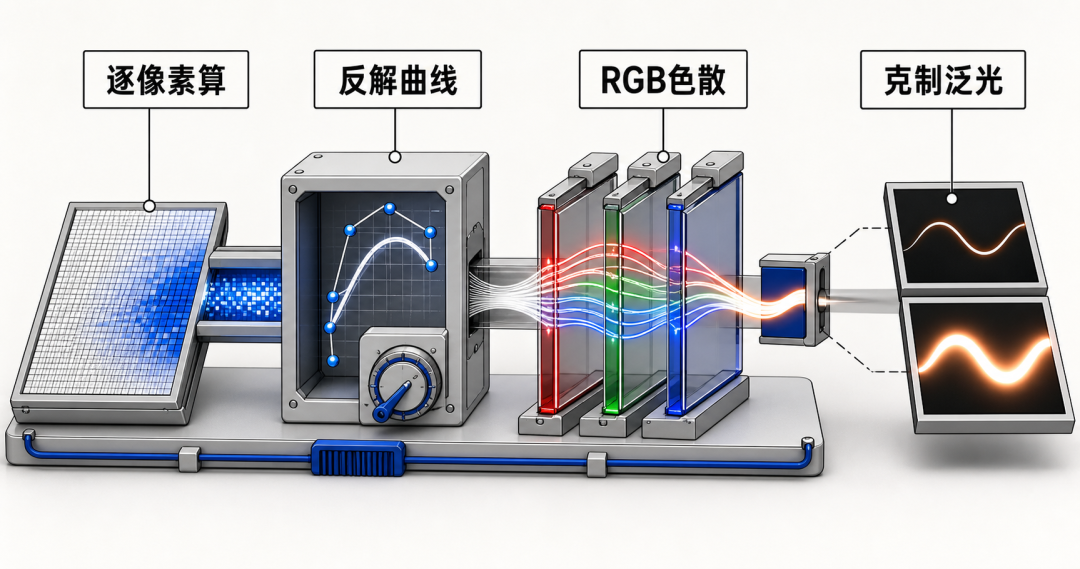
A quick list of what it asked the model to do:
- Write a fragment shader (a program that runs per-pixel on the GPU; the color of every pixel on screen has to be computed by it in real time).
- Solve for Bézier parameters via Newton’s method (each of the ~1.8 million pixels on screen has to compute how far it is from the curve, which means solving a cubic equation, usually approximated with Newton iteration).
- Drive the curve’s motion with several detuned sines (make the curve undulate rhythmically, like breathing; “detuned” means overlaying waves of different frequencies so it doesn’t look mechanical).
- RGB three-channel offset for dispersion (simulating the prism effect: red, green, and blue refract along slightly different directions, and stacked together they produce a rainbow fringe).
- exp function to control glow falloff (controlling how fast light fades from bright to dark; the parameters were given precise ranges—off a little and it either blows out to white or goes pitch black).
- Bloom (letting the brightest parts spill a soft halo)—intensity, radius, and threshold were all given specific values.
Getting a shader like this right and dialed in on the first try is, frankly, a demanding ask.
This round is basically a tie, with each having its strengths.
K3 is cleaner. The black base is pure, the light band is thin and crisp, and the foreground text is restrained without stealing the show—though the glass strips’ dispersion effect is hard to make out. On the details, K3 specifically treated the top-left logo text, chose left alignment, and had the curve accommodate the layout. One nice touch: it gave the scattered labels a parallax effect, so they move as the mouse moves.
Opus 4.8’s glass refraction is a bit better—the vertical stripes are clearly visible and the colored dispersion fringe is there. But the cost is an overall brighter frame with a thicker light band, some distance from the prompt’s “bright area < 15%” requirement, and the layout is less inventive than K3’s.
One detail worth noting: K3 takes screenshots of itself to check as it runs. Its first pass made the light band too thick—more like a glowing stick—but it saw that itself and corrected it. Opus 4.8 ships in one pass, no need to double back. Different paths, similar final results.
Case 3: Parallax scroll card animation
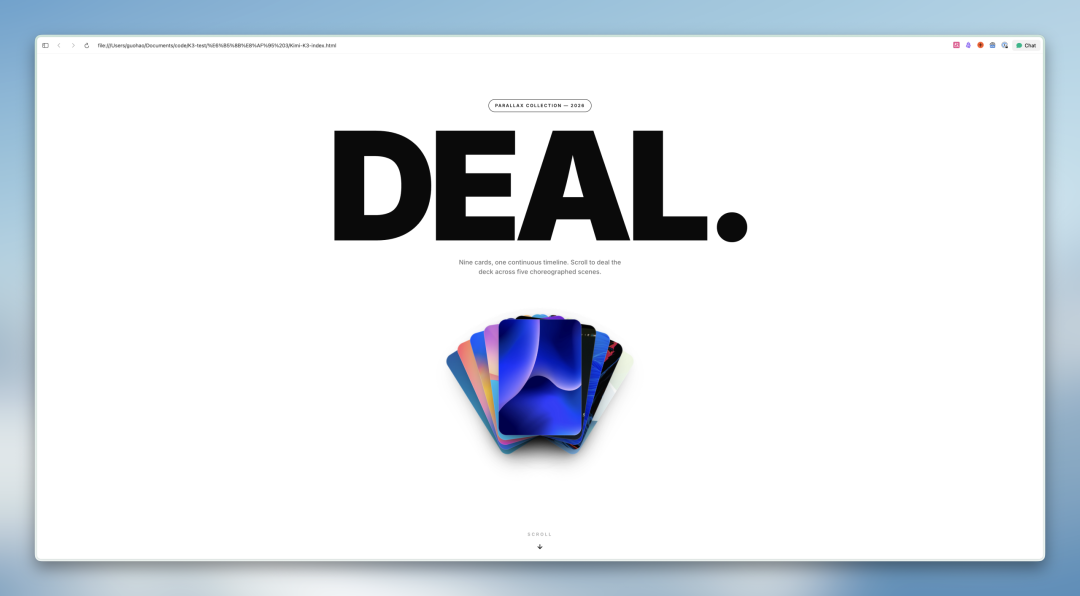
Nine cards pass through five formations while scrolling: fan-out, diagonal parallax, a 3×3 grid, a 7× zoom-through, and a horizontal pan. All driven by a single GSAP master timeline paired with Lenis smooth scrolling.
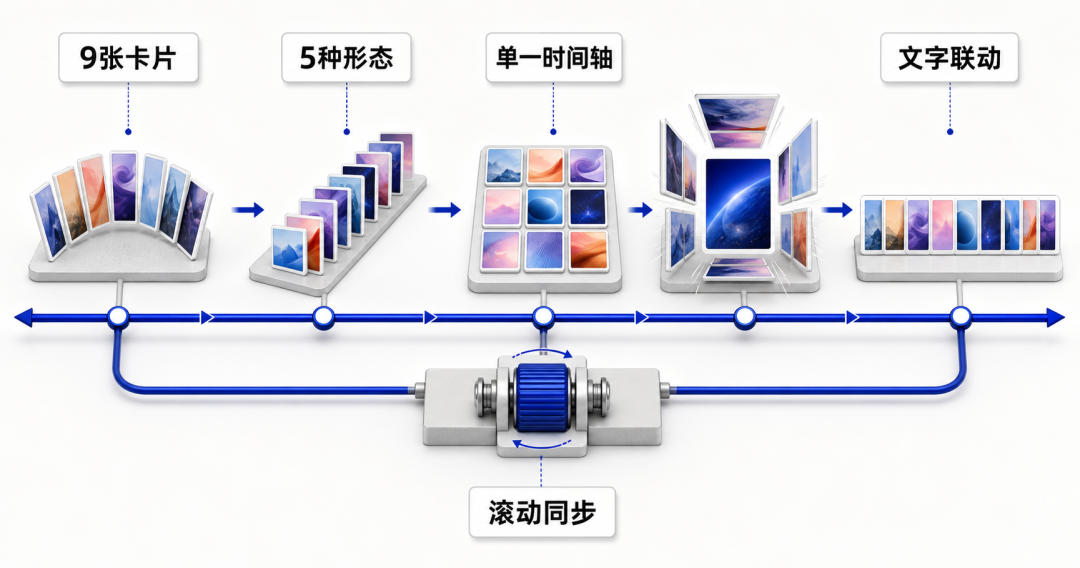
This case’s complexity is different from the others. No single technique is especially hard; it’s the sheer engineering volume of the overall choreography.
Nine elements switch between five topologies, and the math for each formation is completely different (fan-out needs angles, diagonal needs diagonal coordinates, the grid needs row/column positions, the zoom-through needs a scaling center, the horizontal pan needs a horizontal offset)—but they must all run head-to-tail on one timeline without dropping a frame.
When the card formation changes, the text positions have to follow: title centered in the fan, text moved left when spread, shrunk to the top to make way in the grid. ScrollTrigger and Lenis, two scroll systems, also have to stay in sync (one manages animation trigger timing, the other the smoothness of the scroll feel). A human developer writing this from scratch would need a full day at least.
Opus 4.8 edges it.
Opus 4.8’s hero is well finished. The oversized “DEAL” title is centered, the nine cards fan-stack below, and there’s a SCROLL hint at the bottom—clear hierarchy.
K3 has a small bug: the hero title appears briefly and then disappears, leaving just the corner of a blue card peeking out at the bottom. The entrance-animation timing went wrong and the text fade-out was triggered by accident. Both got the core scroll-animation flow working, but on first impression Opus is steadier.
Case 4: Furniture-site motion design
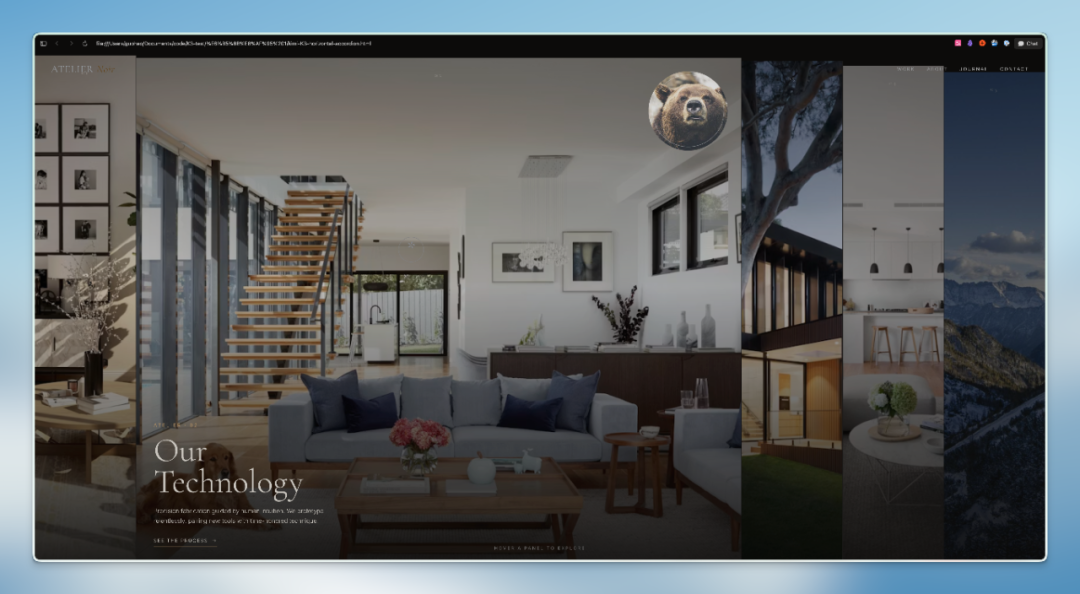
An Awwwards-grade full-screen horizontal accordion: 4-5 vertical columns showcasing home scenes, expanding and contracting on hover, with clip-path mask reveals, a circular picture-in-picture, text fade-in micro-interactions, and a custom cursor follow.
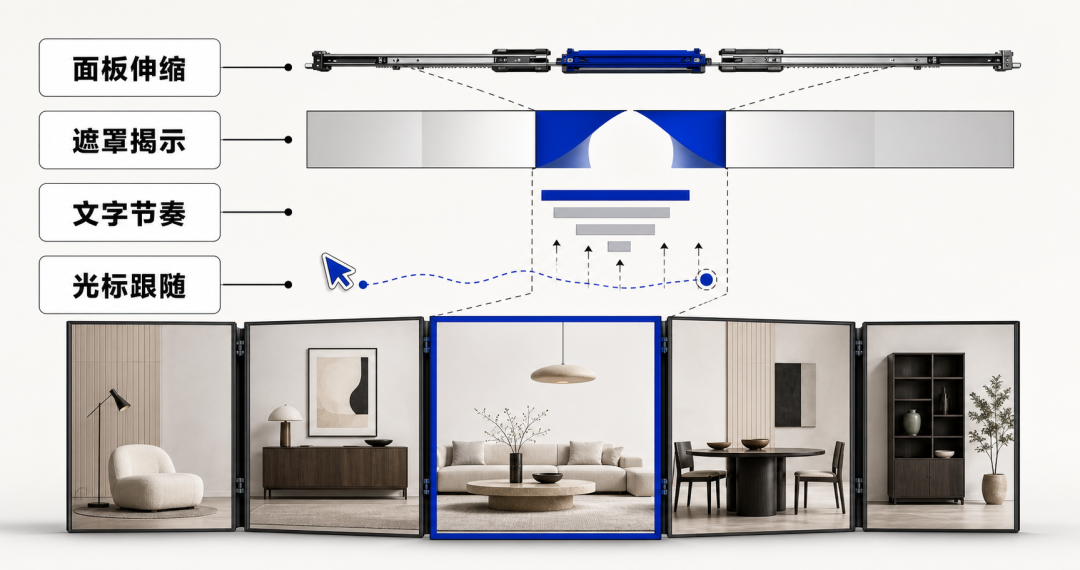
It looks like just building an accordion, but in reality four layers of motion run at once:
GSAP easing controls the width stretch (it needs elasticity and damping, not uniform mechanical motion); clip-path dynamic masks do the image reveal (the image can’t just appear—it has to open from the middle outward like drawing a curtain); the text fade-and-shift has to hit the expansion rhythm exactly, and the custom cursor needs Lerp interpolation to follow (with a bit of trailing glide). One layer isn’t hard; four layers at once while staying smooth and high-quality is another matter.
Opus 4.8 is better on design sense.
Both implemented the core interaction; hover expand/contract is smooth on both, and the motion quality gap is small. The gap is in aesthetic judgment. K3 went for a bright exhibition style: five panels evenly distributed, each with a title at the bottom—clean but a bit flat in hierarchy.
Opus 4.8 chose a dark tone, with the first column expanded by default to reveal a white-chair close-up, each panel carrying a number and vertical text, and a brand nav at the top. It looks more like an actual, operating design-studio website, with more deliberate information hierarchy and layout rhythm.
Verdict
| Case | Result |
|---|---|
| 3D glass prism (video recreation) | K3 wins—composition and layout completeness a clear notch higher |
| Bézier WebGL light band | Tie—K3 more restrained, Opus’s refraction more on point |
| Parallax scroll cards | Opus edges it—correct hero on the first try, higher one-shot success rate |
| Furniture-site motion | Opus edges it—finer layout, more mature aesthetic judgment |
K3 has one standout trait: its multimodal ability really is doing work. In Case 1 it pulled the 3D structure and layout details straight from the video, with fidelity far beyond Opus—a concrete advantage from actually “understanding” what it sees. In Case 2 it screenshotted itself mid-generation, noticed the light band was too thick, and fixed it.
Opus 4.8 is steady on fine layout and one-shot success rate. K3 occasionally has minor timing issues or first-pass parameter drift and needs another round to correct.
But K3 is open source, priced at the Sonnet level—you get close-to-Opus output at Sonnet’s price. It’s genuinely pricier than the earlier K2.6 and 2.7, but given how much bigger the parameter count is, that’s understandable.
I also ran the same prompts against GPT-5.6-Sol. On results, 5.6-Sol is noticeably better than K3, and Fable 5 is surely similar. But this is still a progress worth celebrating—because GPT-5.6-Sol and Opus 5 are on a completely different price tier from K3.
Appendix: full prompts
Below are screenshots of the complete prompts used for the four cases, in case you want to run them yourself.
Case 2 · Bézier WebGL light band
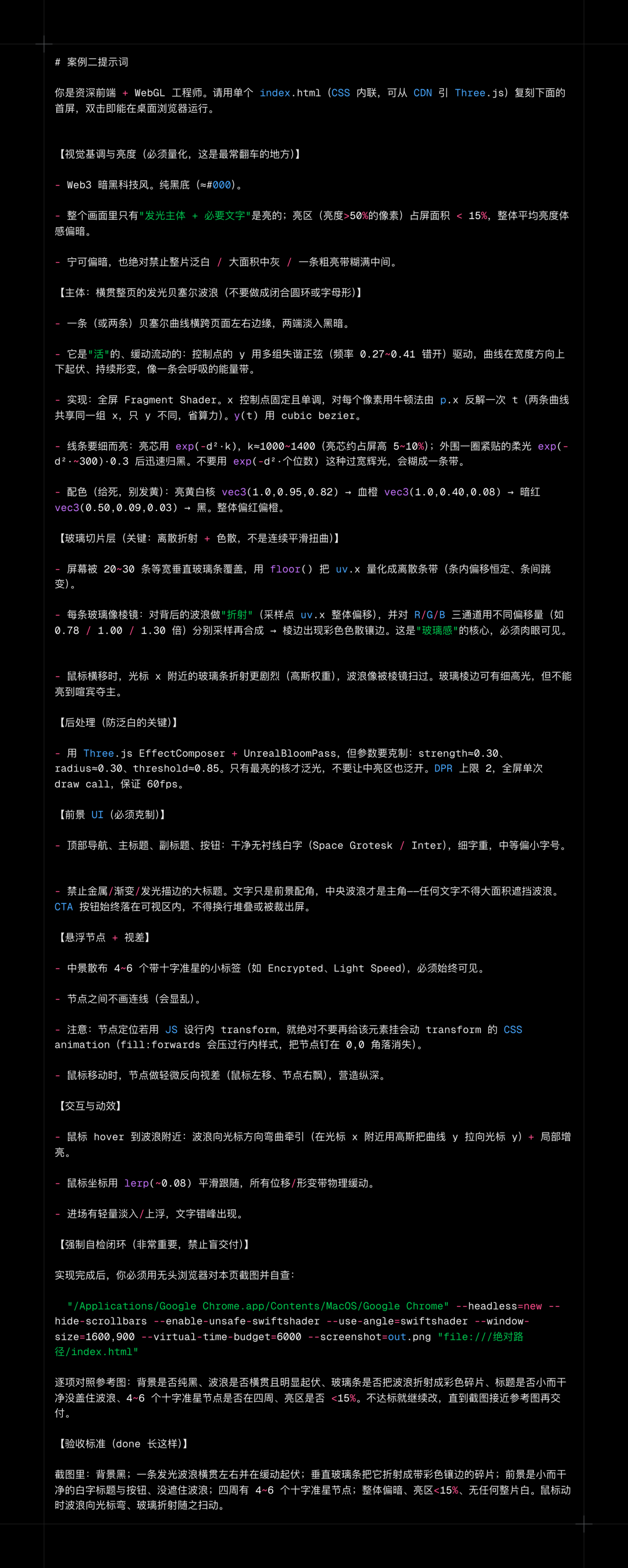
Case 3 · Parallax scroll cards
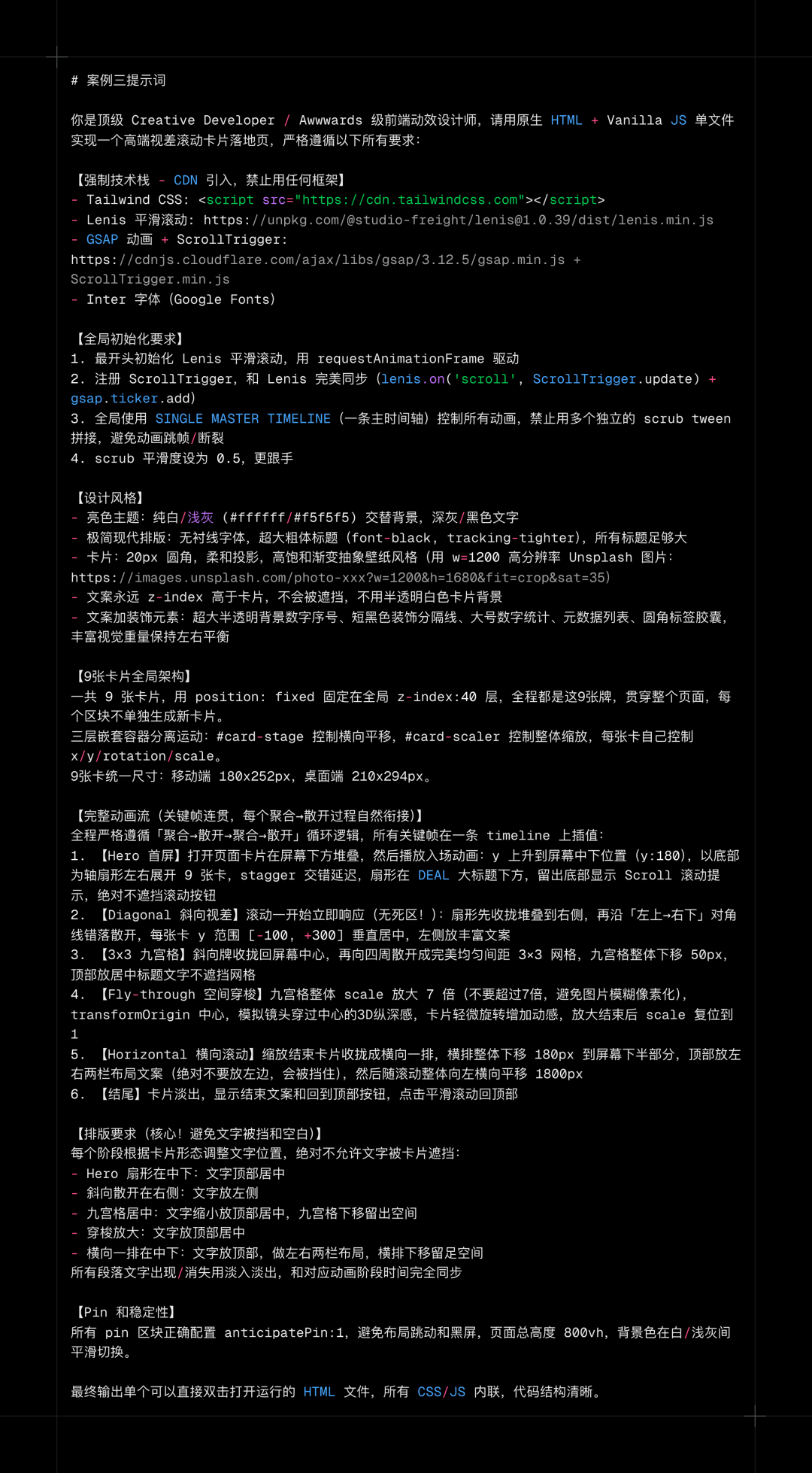
Case 4 · Furniture-site motion